



📐 Layout Design Fundamentals: Organizing Content for Maximum Impact
📐 Layout Design Fundamentals: Organizing Content for Maximum Impact
Imagine walking into a supermarket where the aisles aren’t labeled, products are scattered randomly, and the checkout is hidden in a back corner. You would leave almost immediately. Your website is no different. A poor layout creates a confusing and frustrating experience, causing visitors to abandon your site before they ever get to your message. A strong layout design, on the other hand, acts as a clear roadmap, guiding your visitors effortlessly towards the information they need and the actions you want them to take.
You don’t need to be a professional designer to create a clean, effective layout. By understanding a few fundamental principles, you can organize your content for maximum impact. This guide will break down the core concepts of layout design, making them accessible whether you are using a website builder with pre-designed templates or planning a custom project.
🤔 What is Layout Design and Why is it Crucial?
Layout design is the arrangement of visual elements—such as text, images, and buttons—on a page. It’s about creating structure and organization to present information clearly and effectively. A good layout is critical because it directly impacts:
- Usability: It makes your site easy to navigate and use.
- Readability: It makes your content easy to read and digest.
- Conversions: It guides users towards your call-to-action buttons.
- Credibility: A clean, organized layout looks professional and builds trust.
🏗️ The Foundation: Grids and Alignment
The secret to a professional-looking layout is an underlying grid system. A grid is an invisible structure of columns and rows that helps you align your content consistently. It brings order and balance to your design. Most modern websites are built on a 12-column grid, which provides a great deal of flexibility for arranging content.
Alignment is the practice of placing elements so their edges line up along a common row or column. Consistent alignment creates a strong visual connection between elements and makes your page look clean and intentional, rather than messy and accidental.
👀 Guiding the Eye: Visual Hierarchy and Scanning Patterns
You can control where your users look first by creating a strong visual hierarchy. As discussed in our guide to design principles, this means making your most important elements the most visually prominent. But you should also design your layout to accommodate how people naturally scan web pages.
Studies show that users typically scan websites in two common patterns:
- F-Pattern: For text-heavy pages like blog posts, users tend to scan in an F-shape. They read across the top, then scan down the left side of the page, occasionally reading across a subheading that catches their eye. This means you should place your most important information at the top and use clear, scannable subheadings.
- Z-Pattern: For simpler, less text-heavy pages like homepages, users often scan in a Z-shape. Their eyes move from top-left to top-right, then diagonally down to the bottom-left, and finally across to the bottom-right. This is a great pattern for guiding users from your logo, to your main navigation, to your key message, and finally to your primary call-to-action.
🌬️ The Power of White Space (Negative Space)
White space is not wasted space. It is a powerful design element that improves comprehension and focus.
White space is the empty space between the elements on your page. A cluttered page with very little white space is overwhelming and hard to read. Generous use of white space:
- Increases Readability: It gives your text and other elements room to breathe.
- Creates Focus: It can be used to draw attention to a specific element, like a CTA button.
- Conveys Sophistication: A clean, open layout feels more modern and high-end.
🖼️ Common and Effective Website Layouts
- Single Column: Best for mobile devices and simple, text-focused pages like blog posts.
- Two-Column Split Screen: A great way to give equal importance to two different pieces of content (e.g., an image and a block of text).
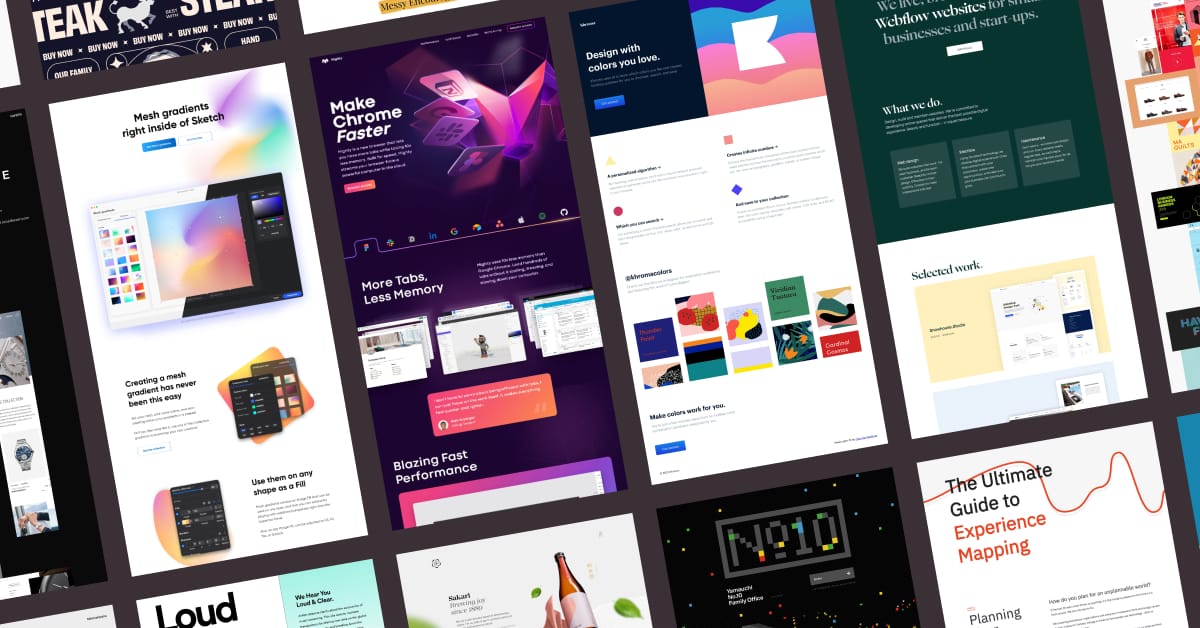
- Multi-Column Grid: Used for displaying multiple items of a similar type, such as products on a category page or portfolio items.
📱 Responsive Layouts: Designing for All Screens
Your layout must be responsive, meaning it adapts gracefully to different screen sizes. A multi-column layout on a desktop might need to stack into a single column on a mobile device. When designing, always consider how your layout will look on a phone, tablet, and desktop. Most website builder templates are fully responsive by default.
⚠️ Common Layout Mistakes to Avoid
- Lack of White Space: Cramming too many elements onto the page.
- Inconsistent Alignment: Elements are not aligned to a common grid, making the page look messy.
- No Clear Hierarchy: The user doesn’t know where to look first because everything has the same visual weight.
- Ignoring Mobile: Designing a layout that looks great on desktop but is unusable on a phone.
🏆 Case Studies: The Impact of Layout
Case Study 1: A Local Restaurant
A restaurant’s homepage had all its information—menu, hours, location, story—in one long, undifferentiated block of text. They redesigned the page into clear, distinct sections with strong headlines and plenty of white space. The new layout made it much easier for users to find the reservation link, and online bookings increased by 28%.
Case Study 2: A B2B Service Site
A consulting firm’s blog was hard to read because the text stretched across the entire width of the page. They implemented a single-column layout with a maximum width for the text block. This simple change improved readability and increased the average time on page by 40%.
❓ Frequently Asked Questions
Do I need to know how to code to create a good layout?
No. Modern website builders use drag-and-drop editors and pre-designed, grid-based templates that allow you to create professional layouts without any coding knowledge.
What is the most important element in a layout?
While it depends on the page’s goal, the most important element is usually the primary Call-to-Action (CTA). Your layout should be designed to draw the user’s attention to that button.
How do I know if my layout is effective?
Use data. Look at your analytics to see your bounce rate and time on page. Use heatmaps to see where users are clicking and scrolling. This data will tell you if your layout is working or if it needs to be improved.
A website’s layout is its skeleton. A strong, logical layout makes your content easy to understand and your website a pleasure to use. By applying the fundamental principles of grids, alignment, hierarchy, and white space, you can create a professional and effective design that guides your users and grows your business. For ready-made professional layouts, try Pixel Cloud Media’s Website Builder, or consult our design team for a high-impact custom site structure.
