




📈 Marketing Dashboards: Tracking KPIs for Data-Driven Growth
📈 Marketing Dashboards: Tracking KPIs for Data-Driven Growth
In the age of digital marketing, businesses are flooded with data. You have traffic numbers from Google Analytics, engagement metrics from social media, open rates from your email platform, and conversion data from your ads. But raw data is useless without interpretation. To make smart, data-driven decisions, you need a way to visualize your most important metrics in one clear, concise place. This is the role of a marketing dashboard.
A well-designed dashboard transforms a chaotic sea of data into a simple, actionable report that tells you at a glance what’s working, what’s not, and where you should focus your efforts. For any business owner, from a solopreneur using a website builder to a marketing manager at a growing enterprise, a dashboard is the key to unlocking true data-driven growth.
🤔 What is a Marketing Dashboard?
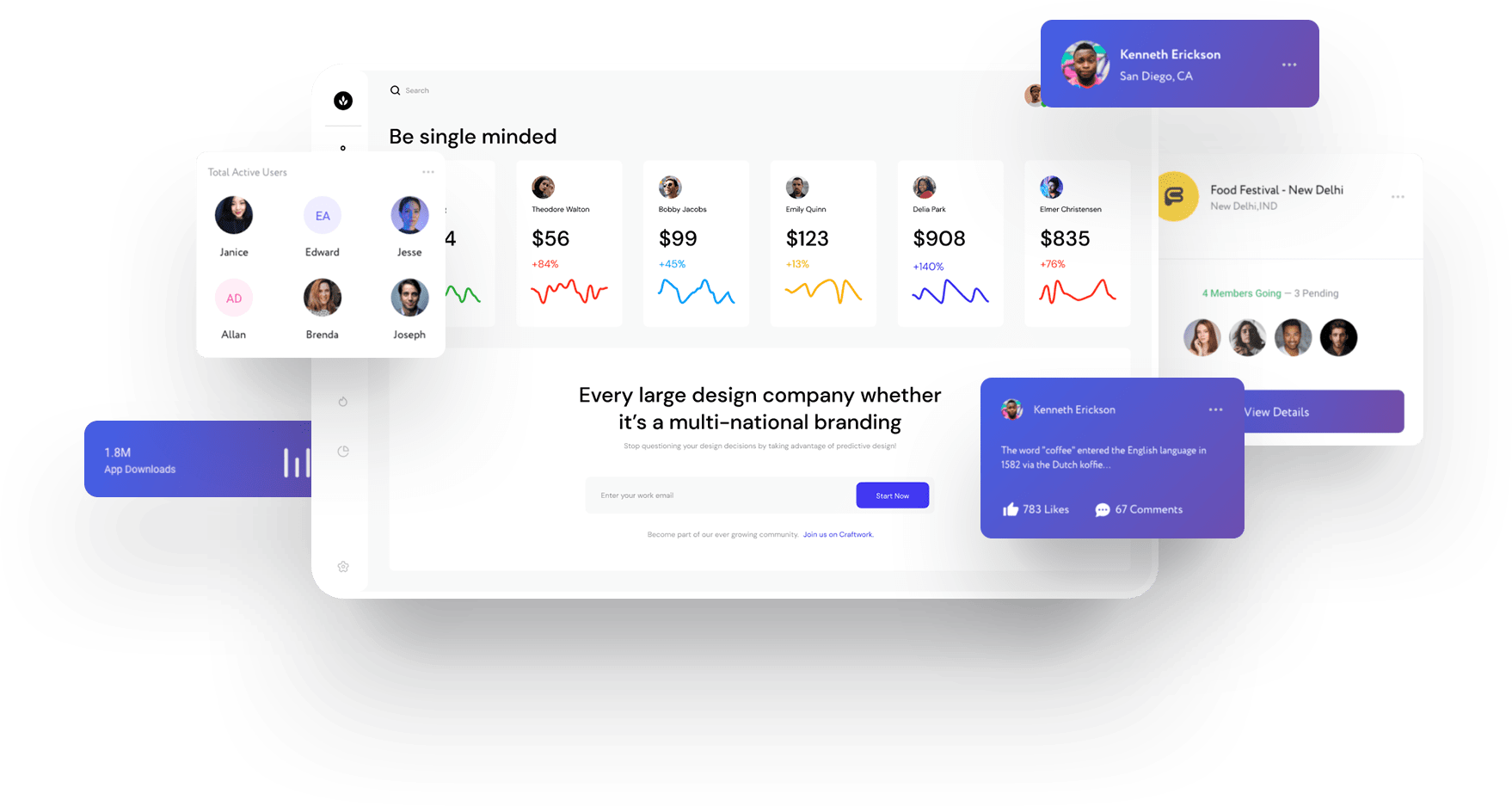
A marketing dashboard is a reporting tool that provides a centralized, interactive visualization of your most important marketing metrics. It connects to your various data sources (like Google Analytics, Facebook Ads, and your email platform) and pulls the key numbers into one place, often displaying them as charts, graphs, and scorecards. This allows you to monitor the health of your marketing efforts in real-time without having to log into a dozen different platforms.
💡 Why Every Business Needs a Marketing Dashboard
- Saves Time: No more manually pulling numbers from different sources and compiling them in spreadsheets. A dashboard automates the reporting process.
- Provides Clarity: It cuts through the noise and focuses your attention on the metrics that truly matter for your business goals.
- Enables Faster Decision-Making: With real-time data at your fingertips, you can quickly spot trends, identify problems, and capitalize on opportunities.
- Improves Alignment: A shared dashboard ensures that everyone on your team—from marketing to sales to leadership—is looking at the same numbers and working towards the same goals.
🎯 Choosing the Right KPIs (Key Performance Indicators)
Before you build a dashboard, you need to know what to put on it. It’s important to distinguish between metrics and KPIs.
A metric tracks an activity (e.g., website visitors). A KPI tracks progress towards a business goal (e.g., new customers acquired).
Your KPIs will depend on your business goals. Here are some examples:
For an E-commerce Business:
- Conversion Rate
- Average Order Value (AOV)
- Customer Acquisition Cost (CAC)
- Cart Abandonment Rate
For a B2B/Lead Generation Business:
- Number of Marketing Qualified Leads (MQLs)
- Cost Per Lead (CPL)
- Lead-to-Customer Conversion Rate
- Website Form Submission Rate
📝 Building Your First Marketing Dashboard: A Step-by-Step Guide
- Define Your Objective: What is the primary question you want this dashboard to answer? (e.g., “How are my marketing efforts contributing to sales?”)
- Identify Your KPIs: Based on your objective, choose the 3-5 most important KPIs to track. Don’t overcrowd your dashboard.
- Select Your Data Sources: Where does the data for your KPIs live? (e.g., Google Analytics 4, Facebook Ads Manager, your CRM).
- Choose a Dashboard Tool: Select a tool that can connect to all your data sources. Google Looker Studio is a great free option to start with.
- Design Your Dashboard: Start with your most important KPIs at the top as scorecards. Use charts and graphs to visualize trends over time. Keep the design clean and easy to read.
- Automate and Share: Set up your dashboard to automatically refresh with new data and share the link with your team.
🛠️ Top Tools for Building Marketing Dashboards
- Google Looker Studio (formerly Data Studio): A powerful and completely free tool that integrates seamlessly with other Google products (like GA4 and Google Ads) and has connectors for many other platforms. It’s the best starting point for most businesses.
- Databox: A user-friendly tool with pre-built templates and a wide range of integrations. It has a free plan with limited features.
- Tableau / Power BI: More advanced business intelligence (BI) tools that are better suited for large enterprises with complex data analysis needs.
📈 Case Study: The Power of a Good Dashboard
A small e-commerce business was spending money on Google Ads, Facebook Ads, and email marketing, but they weren’t sure which channel was most effective. They created a simple dashboard in Google Looker Studio that pulled in data from all three sources. The dashboard clearly showed that while Facebook Ads were generating a lot of clicks, their Google Ads campaigns had a much higher conversion rate and a lower Customer Acquisition Cost (CAC). By reallocating 50% of their Facebook budget to Google Ads, they were able to increase their total monthly sales by 35% without increasing their overall ad spend.
❓ Frequently Asked Questions
How is a dashboard different from a report?
A report is often a static document with a lot of detailed data. A dashboard is a dynamic, visual interface that focuses on monitoring key metrics in real-time.
How many KPIs should I have on my dashboard?
Less is more. A good dashboard should focus on a handful of the most critical KPIs. If you have too many, it becomes cluttered and loses its ability to provide clarity at a glance.
Do I need technical skills to build a dashboard?
No. Modern tools like Google Looker Studio and Databox are designed to be user-friendly, with drag-and-drop interfaces and pre-built connectors that make it easy to pull in your data without any coding.
A marketing dashboard is your command center for data-driven growth. It provides the clarity and focus you need to make smart, timely decisions that improve your marketing ROI. Start by identifying your key business goals, choose the right KPIs to track, and use a tool like Google Looker Studio to build a simple dashboard for your Pixel Cloud Media website. Or, let our digital agency build a comprehensive analytics and reporting system tailored to your business.
